Deployments
Put an app, a server or a site live, then run it.
Parts
36in the order they sit on the screenThe kind has a Setup of its own (User Group, PWA, Preview, Cron, Emitter, iOS, Android, macOS).
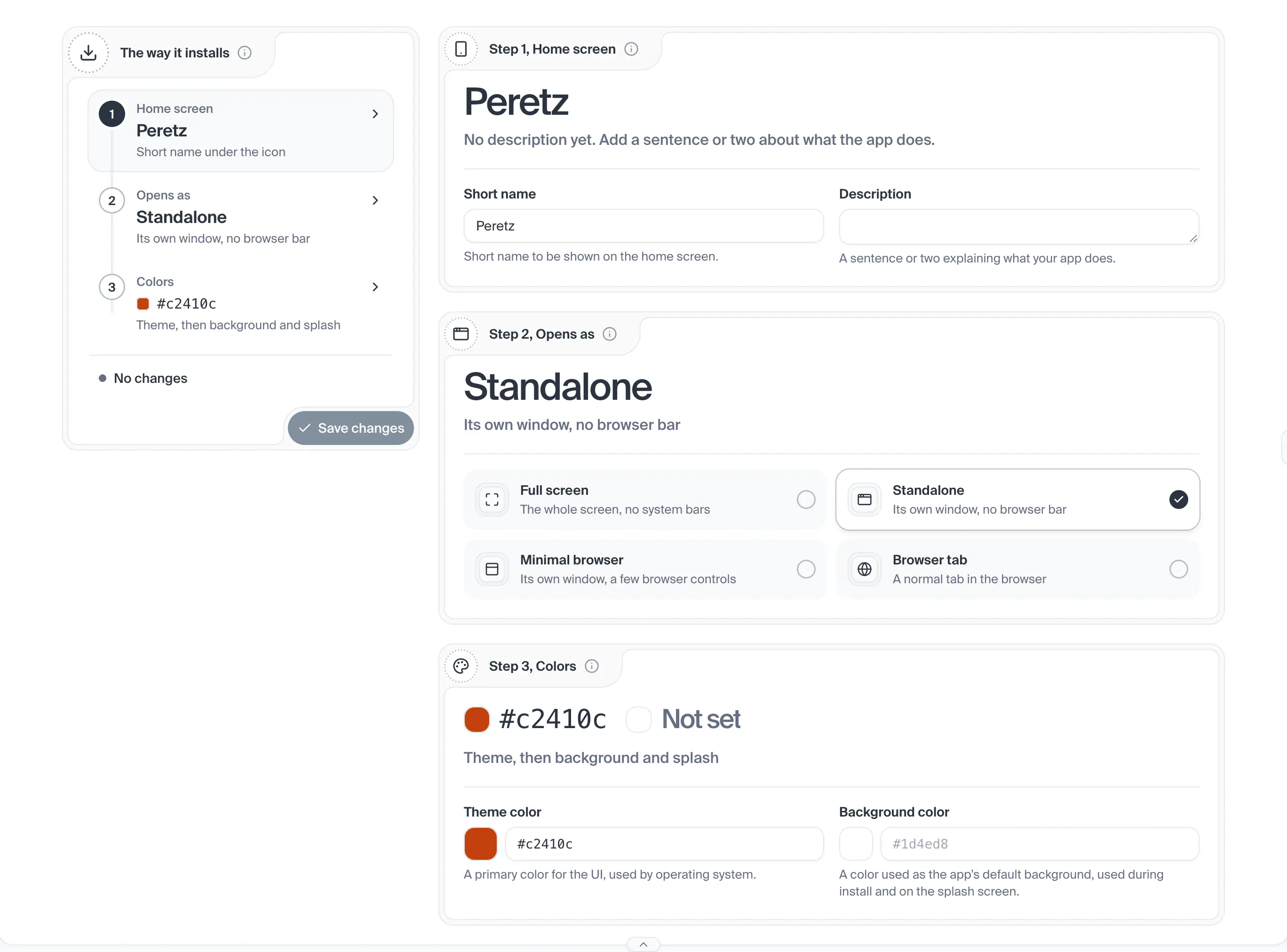
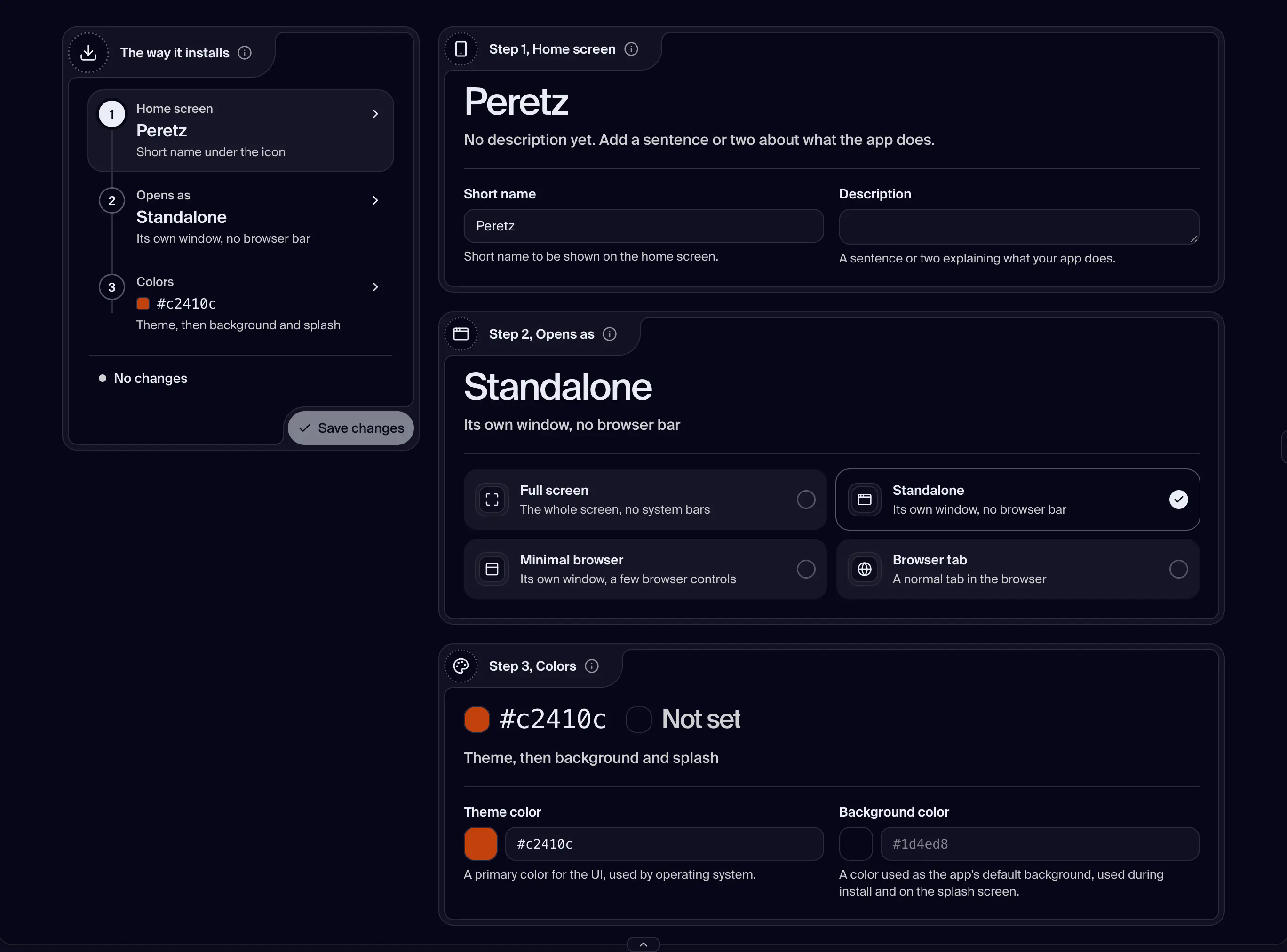
One step of the path: its number, its name, its saved answer in large type and a muted line. The open step is highlighted. A warning dot on the number means a change that is not saved, a red one a save that failed. Pressing it brings that step's card into view.
The deployment is a User Group.
The deployment is a User Group. One of the three ways must stay on: the last one on cannot be switched off, and the card says it Stays on.
The deployment is a PWA.
The deployment is a Preview.
The deployment is a Cron or an Emitter.
The deployment is an iOS, Android or macOS build.
Shot from the dashboard on November 20, 2026. The business and its customers are made up.
How a deployment is opened and who gets in, kept as a path of steps: a rail on the left lists the steps with each saved answer, and beside it each step has its own card with the control that changes it. The rail holds the tab's one Save, one Undo and one line that says what is waiting. What the steps are depends on the kind: a User Group has Joining and Signing in, a PWA has Home screen, Opens as and Colors, a Preview has Device, Background and Password, a Cron or an Emitter has Build and Jobs or Triggers, and an iOS, Android or macOS build shows what it is built with, read only. Any other kind says there is nothing to set. The tab edits a copy and posts the whole setup when you press Save.
- How you get here
/dashboard/project/:id/admin/setup